A complete visual reference for the symbols used to identify units, targets, modifiers and reference points on the Iron Nest Tactical Map.
VERIFICATION VERIFIED FOR GAME VERSION 1.0LAST UPDATED August 16, 2026
01
How to read a map icon
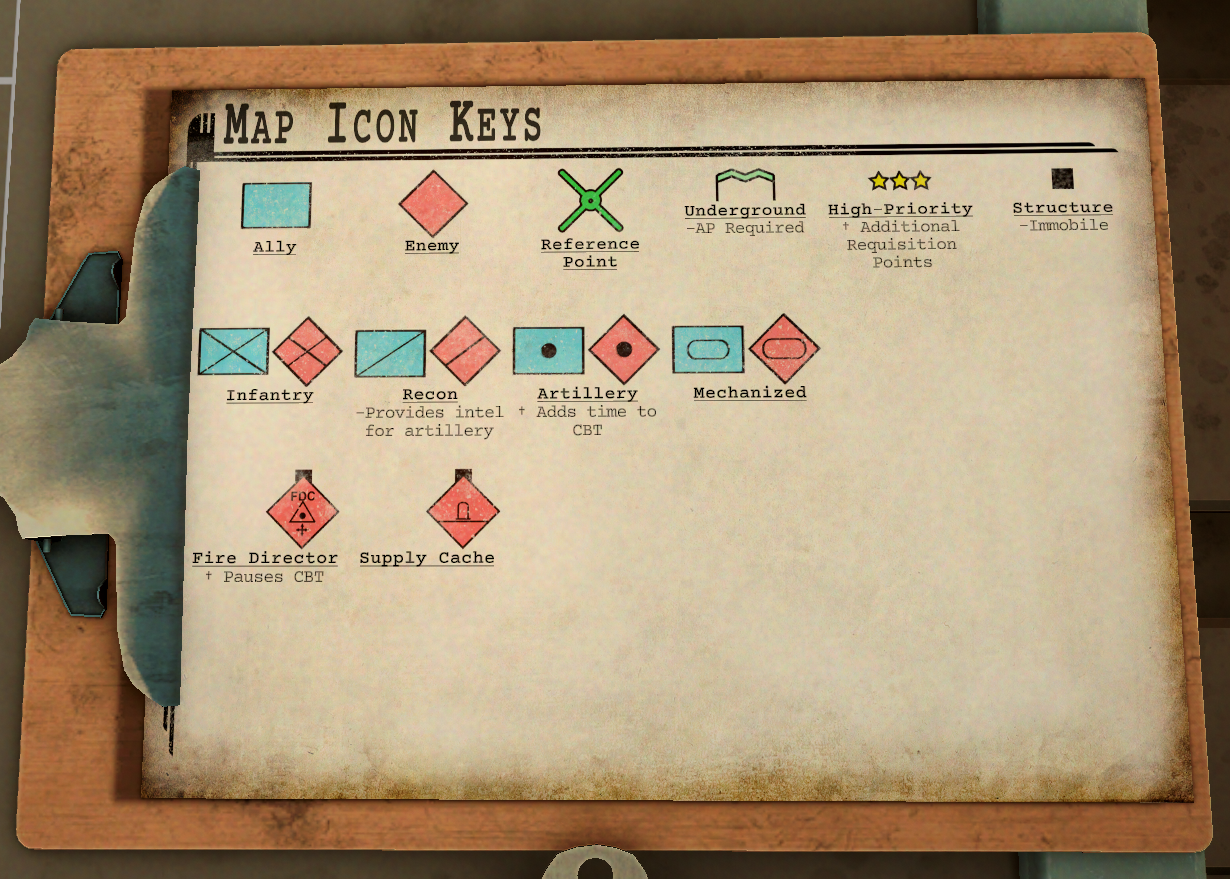
The Tactical Map builds a marker from layers. The outer frame identifies allegiance: a blue rectangle is friendly and a red diamond is hostile. The symbol inside identifies the unit or position, while extra shapes can mark it as Underground, High-Priority, a Structure or another tactical type.
Read every visible layer before selecting ammunition. An Underground Fire Direction Center, for example, combines the Underground and Fire Director meanings: Armor-Piercing is needed to penetrate it, and destroying the center pauses the Counter-Battery Timer. For plotting ranges, bearings and reported positions, use the Map Measurements guide.
Map Icon KeysThe clipboard beside the Tactical Map gives the core legend. Markers can combine more than one of these properties.
02
Core markers and modifiers
These four core symbols identify reference points or add a tactical property to another marker. Unit types such as Infantry, Recon and Artillery are shown with their complete enemy or friendly icons further down this page.
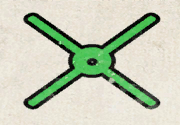
Reference Point
Green cross used for a named point from which bearings and distances can be reported.
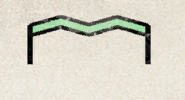
Underground
Adds the underground modifier to a target.
Battlefield effectArmor-Piercing is required.
High-Priority
Gold stars mark a Priority Target.
Battlefield effectAwards additional Requisition Credits when destroyed.
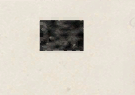
Structure
Marks a fixed structure rather than a mobile unit.
Battlefield effectImmobile.
03
Priority stars and Requisition Credits
Gold stars are an additional High-Priority modifier, not a separate unit type. They show that destroying the marked target awards extra Requisition Credits. A three-star Priority Target is confirmed to award 75 RC, but the total reward attached to a target can depend on the target and mission.
The Requisition Credits guide shows the three-star target together with its Field Report reward. Use that page as the main reference for how RC is earned and spent.
04
Enemy map icons
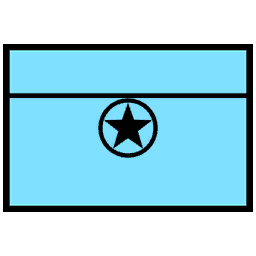
Enemy markers use a red diamond. The pictogram names the reported target; Underground, Structure and Priority properties may be added separately. A battlefield effect is listed below only where the icon has a confirmed general effect.
Anti-Aircraft
Hostile anti-aircraft battery.
Battlefield effectPrevents the Scout Plane from crossing its protected area while operational.
Ammunition Cache
Hostile ammunition or supply cache.
Anti-Tank
Hostile anti-tank position.
Mechanized Armor
Hostile armored or mechanized unit.
Heavy Gun Turret
Hostile heavy gun or artillery turret.
Base
Hostile base or installation.
Civilian
Civilian marker shown on the hostile side of a report.
Civil Rioting
Rioting-civilian marker used by mission reports.
Commander
Hostile commander. Priority stars, when present, are a separate modifier.
Emergency Medical Operation
Medical-operation marker used by mission reports.
Field Artillery
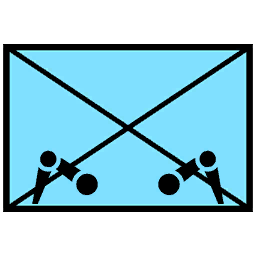
Hostile field-artillery position.
Battlefield effectAdds time to the Counter-Battery Timer when destroyed.
Field Artillery Observer
Hostile artillery observer with a reconnaissance role.
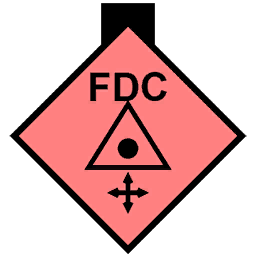
Fire Direction Center
Hostile fire-direction center.
Battlefield effectPauses the Counter-Battery Timer when destroyed.
Infantry
Hostile infantry unit.
Mechanized Infantry
Hostile infantry with the mechanized modifier.
Marine
Hostile marine unit.
Recon
Hostile reconnaissance unit.
Battlefield effectProvides intelligence for enemy artillery.
Ship
Hostile ship or naval target.
Ship Stripe
A visual ship-marker overlay used with naval targets, not a separate unit class.
TV and Radio Propaganda
Hostile propaganda or broadcast location.
Train Locomotive
Hostile train locomotive.
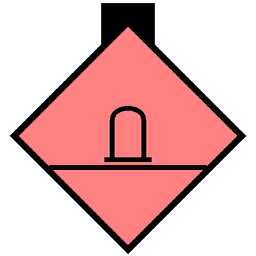
Train Station
Hostile or mission-relevant train station.
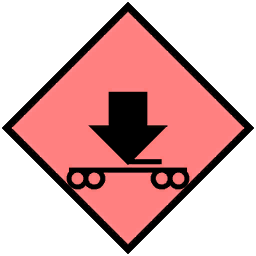
Train Transport
Hostile rail-transport target.
05
Friendly map icons
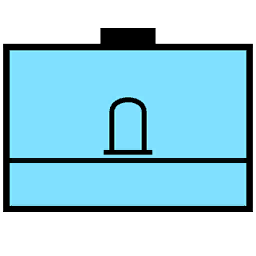
Friendly markers use a blue rectangular frame. Treat them as protected positions: firing on a friendly can produce a cease-fire warning and a Requisition penalty, although mission-specific consequences can differ.
Ammunition Cache
Friendly ammunition or supply cache.
Mechanized Armor
Friendly armored or mechanized unit.
Civilian
Friendly civilian marker.
Commander
Friendly commander.
Field Artillery
Friendly field-artillery position.
Field Artillery Observer
Friendly artillery observer.
General
Friendly general.
Hospital
Friendly hospital or medical position.
Infantry
Friendly infantry unit.
Mechanized Infantry
Friendly infantry with the mechanized modifier.
King
Friendly royal or king marker.
Marine
Friendly marine unit.
Police
Friendly police unit.
Recon Listening
Friendly listening or reconnaissance position.
Reconnaissance
Friendly reconnaissance unit.
TV and Radio Propaganda
Friendly propaganda or broadcast location.
06
Reference and system markers
The map marker set also contains four labelled Reference Point variants: A, B, C and D. They share the green Reference Point symbol and allow reports to distinguish several known points. Bearings and distances measured from them are handled in the triangulation workflow.
A Crosshair marker is available as a general target or aim-point indicator. An Invisible marker intentionally displays no symbol and supports locations that should exist without appearing as a normal unit icon. Neither represents a battlefield unit class.
07
Mission context matters
An icon identifies what the Tactical Map is reporting, but it does not guarantee that every occurrence has identical health, rewards or objective logic. Missions can attach different conditions to the same visual unit type.
Use the icon to identify the target and its visible modifiers, then follow the current High Command or Field Report instructions. If reconnaissance is needed, the Scout Plane Punchcard can reveal map information, provided an active anti-aircraft zone does not block its route.
Evidence record
Verification basis
Symbology context checked against the NATO APP-6 standard for constructing joint military map symbols.
Core meanings follow the Map Icon Keys displayed beside the Tactical Map.
Enemy, friendly, reference and system marker names are verified for the current game version.
Gameplay effects are stated only where the map legend, mission instructions or reports provide a consistent meaning.