What the Requisition Table does
The Requisition Table is the station where the Operator turns Requisition Credits into battlefield support. It reads the selected Punchcard, shows its RC cost and carries out the card's ammunition, scouting, movement or supply action.
The table is the shared access point for the requisition system. A Punchcard defines what is requested and how much it costs; the table provides the interface through which that request is made.
Where to find it
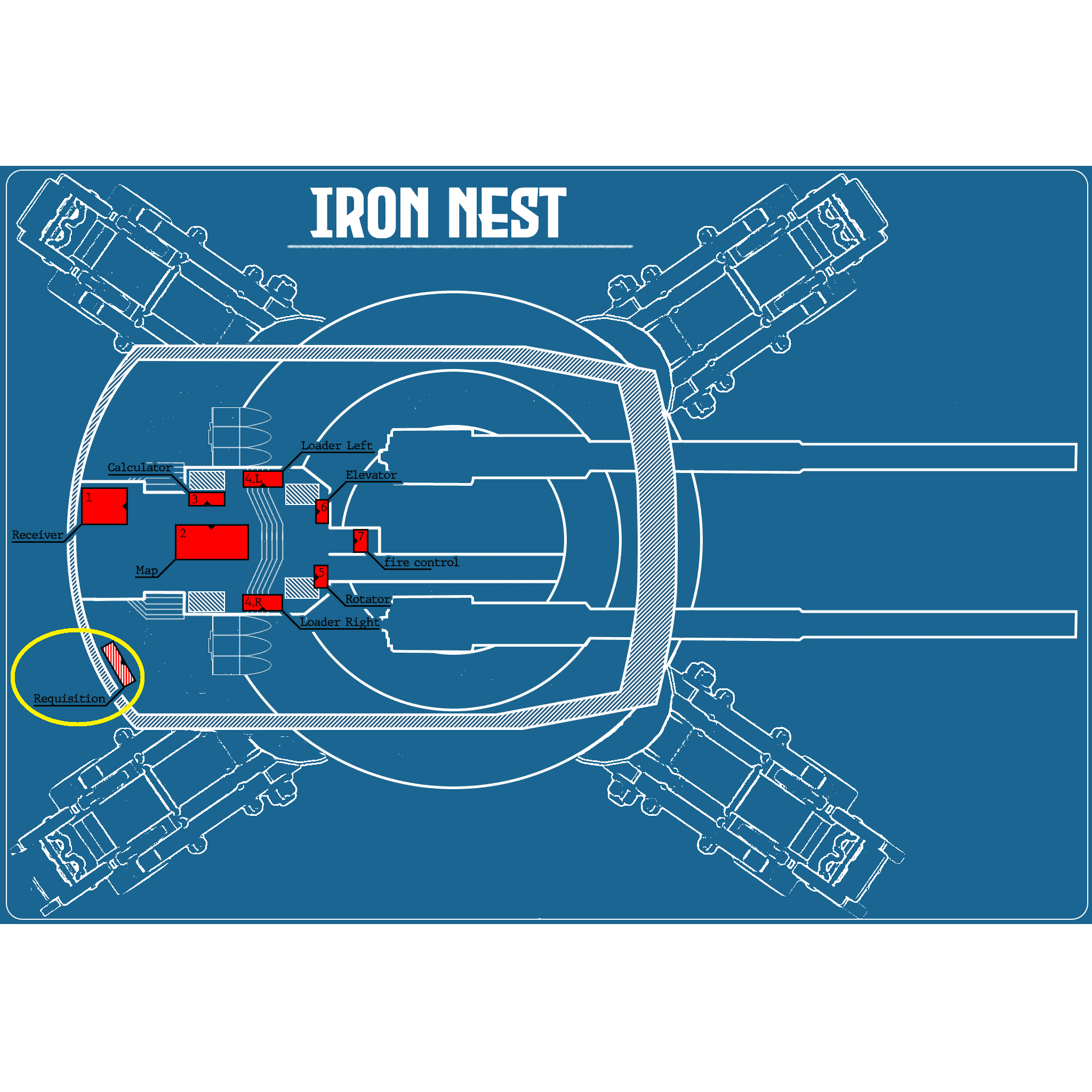
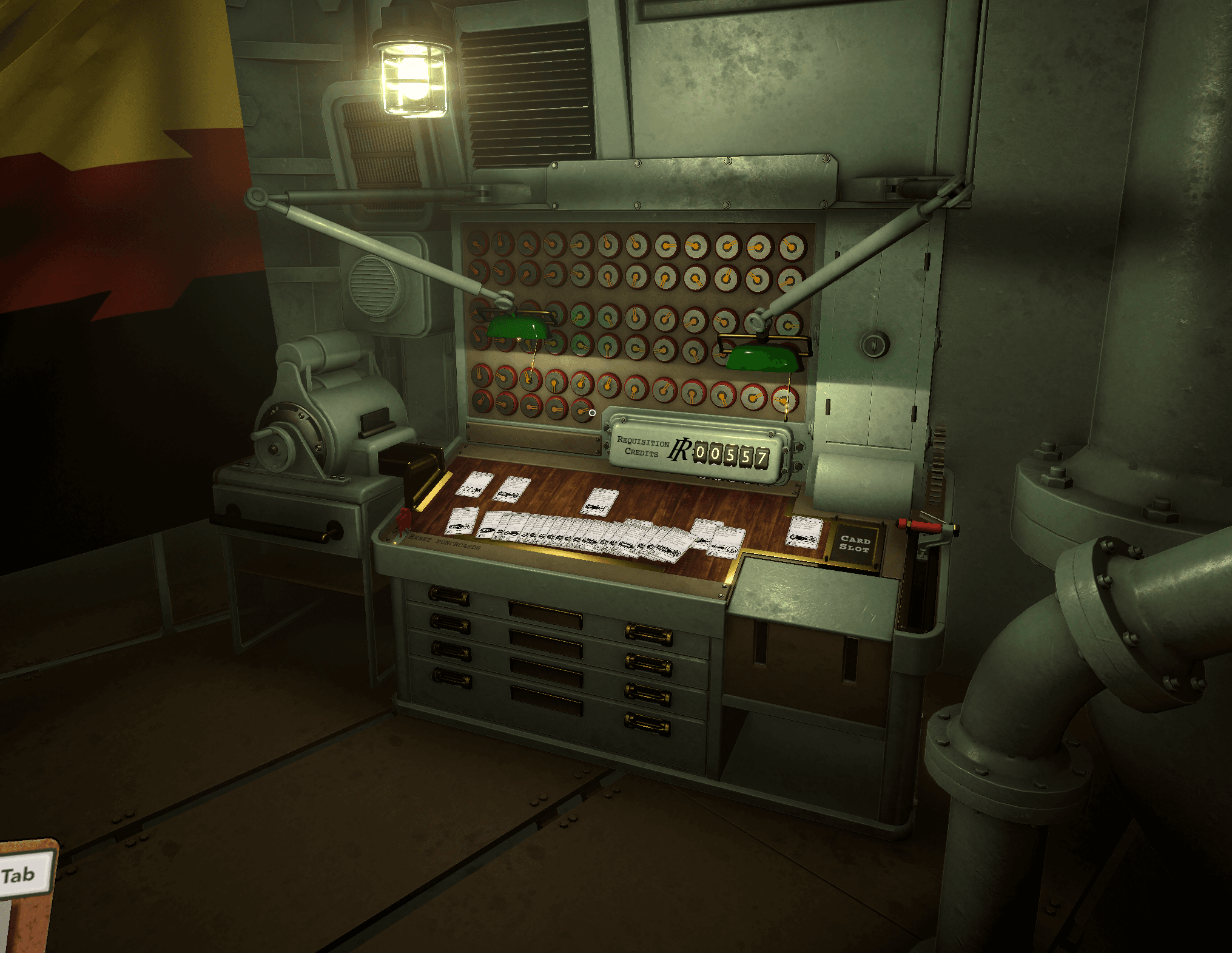
From the centre of the Iron Nest, head towards the rear-left side of the turret. The Requisition Table stands against the outer wall, close to the receiver and map stations. The marked layout below shows its position; the second image shows the station as it appears in-game.
How to use the table
Approach the station and review the available cards before spending RC. The cost and use limit come from the selected card, so a cheaper one-use card can behave differently from a more expensive reusable version.
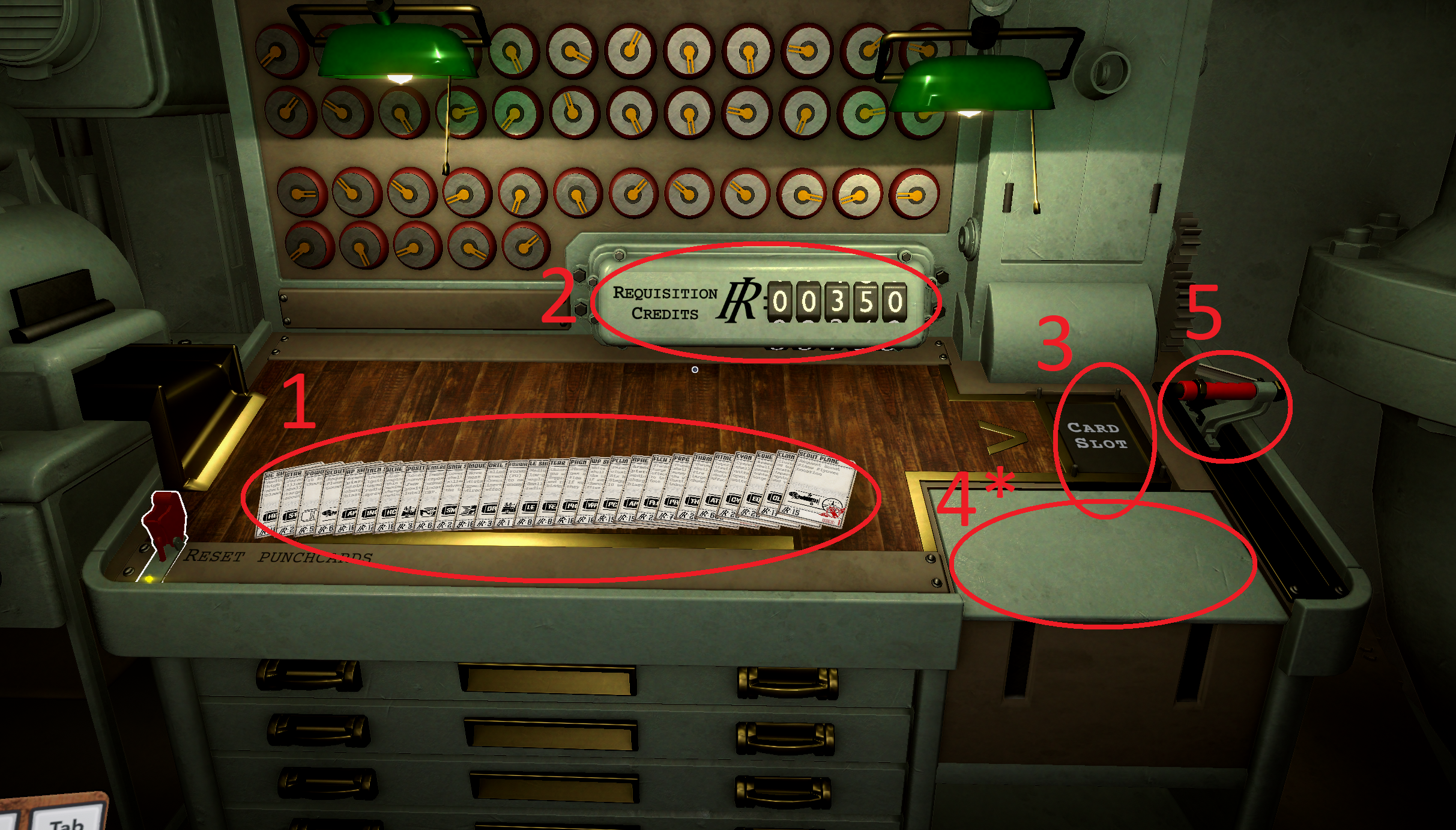
- 1
- PunchcardsSelect the card for the ammunition or utility action you want to request.
- 2
- Available RCThe counter shows the current Requisition Credit balance.
- 3
- Punchcard slotInsert the selected Punchcard here before activating it.
- 4*
- Additional inputSome Punchcards require extra information here, such as coordinates, a bearing or both.
- 5
- Activation handlePull the handle to use the inserted Punchcard and submit the request.
Scout Plane input
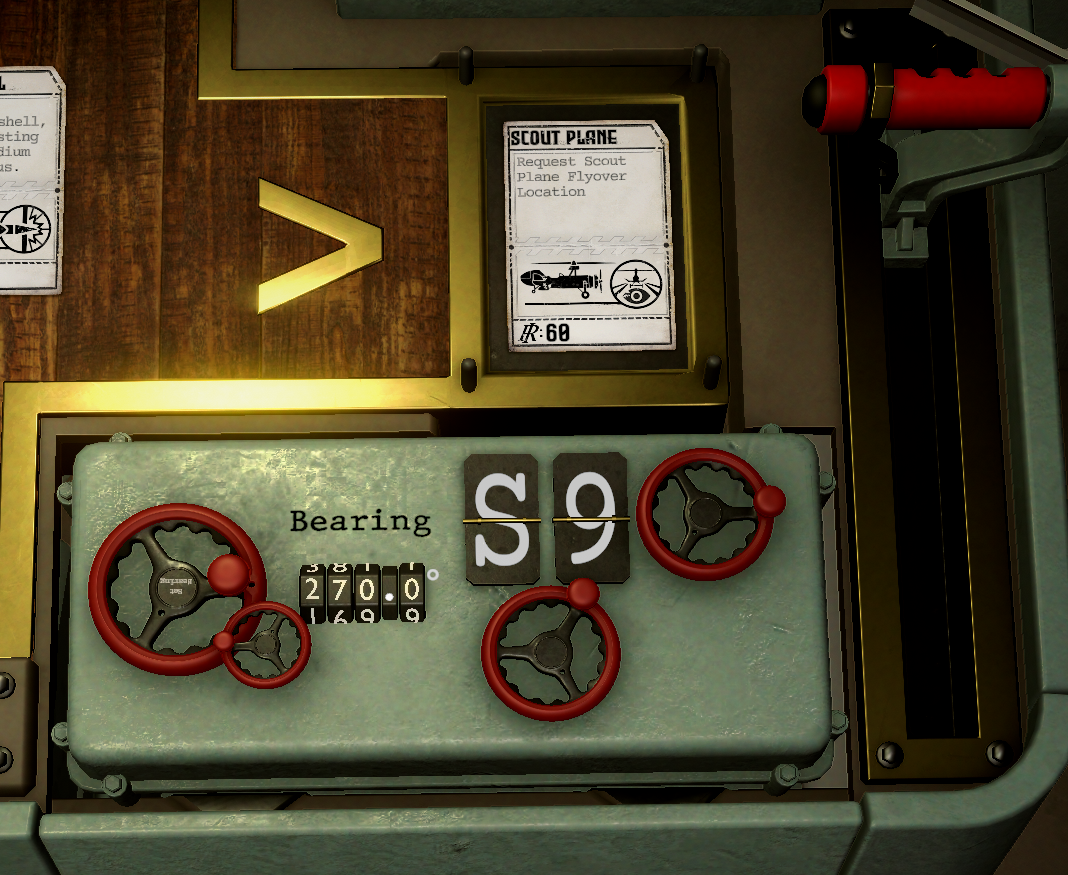
The Scout Plane Punchcard requires both a starting grid square and a bearing. In this example, the selected starting square is S9 and the flyover bearing is set to 270.0° before the card is activated.
What can be requested
Ammunition Punchcards requisition shells for the Iron Nest's guns. Utility Punchcards can add Powder Charges, request reconnaissance, provide positional reports or relocate the Iron Nest. The complete Punchcard catalogue groups these requests by function and lists the exact RC cost of each one.
Not every card is available from the beginning. Individual utility Punchcard pages and ammunition pages identify the campaign or challenge mission that unlocks each verified request.
Reusable and one-use cards
Most available Punchcards have no use cap and remain reusable. Two cards have a one-use limit: the cheaper Scout Plane one-time card and the Atomic shell Punchcard. Their detail pages identify this limit before the card is used.
The reusable Scout Plane Punchcard performs the same type of flyover as its one-time counterpart but has a higher RC cost. This is why both price and use limit matter when selecting a card at the table.